This site uses cookies.
Some of these cookies are essential to the operation of the site,
while others help to improve your experience by providing insights into how the site is being used.
For more information, please see the ProZ.com privacy policy.
VIA AILooking for an interpreter?
Remoto by ProZ.com connects you with an identity-verified interpreter by video or phone in about 60 seconds — 300+ languages, on demand or booked ahead.
Try Remoto »
I recently encountered an issue with FineReader OCR (v16) that I hadn’t come across before (in previous versions).
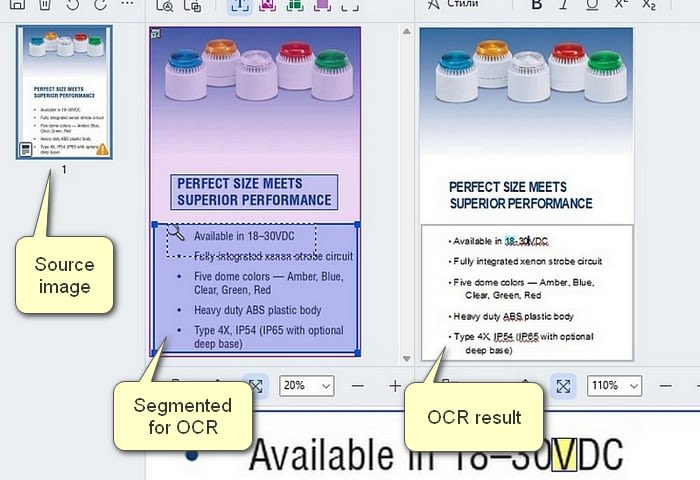
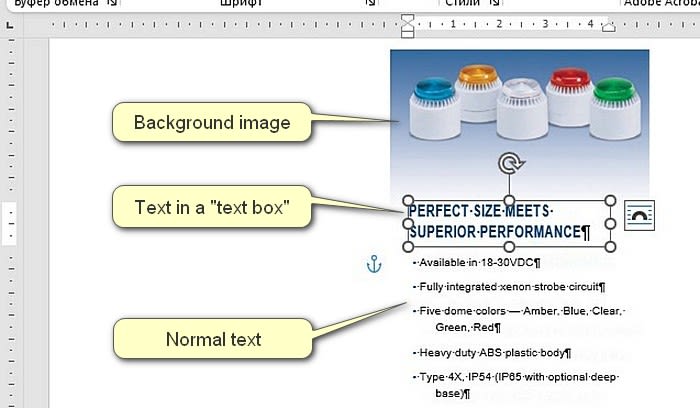
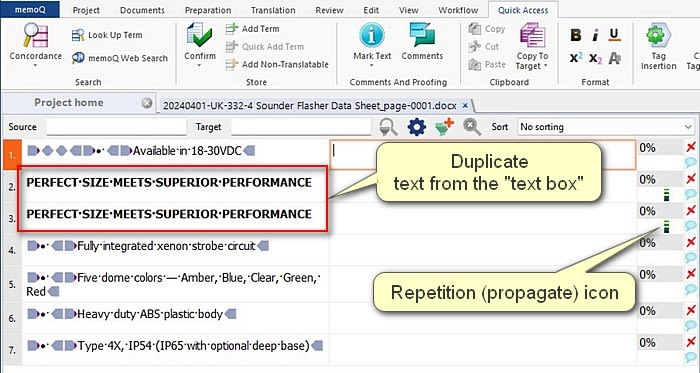
FineReader OCR automatically decides how to format segments after recognition. As a result, text that ends up in text box appears twice in the CAT tool, while text formatted as the main body is not duplicated.
Has anyone experienced this, and what did you do about it?
FineReader:
Word:
memoQ:
Subject:
Comment:
The contents of this post will automatically be included in the ticket generated. Please add any additional comments or explanation (optional)
Stepan Konev Russian Federation Local time: 02:08 English to Russian
Double layer
Mar 22
There are most likely two identical text boxes stacked on top of each other. FineReader often does this to create a shadow effect. To avoid this, try copying the text into Notepad first.
Subject:
Comment:
The contents of this post will automatically be included in the ticket generated. Please add any additional comments or explanation (optional)
Samuel Murray Netherlands Local time: 00:08 Member (2006) English to Afrikaans + ...
@Sergei
Mar 23
Stepan Konev wrote:
There are most likely two identical text boxes stacked on top of each other. FineReader often does this to create a shadow effect.
I have never encountered this problem in FineReader, but I do know that some DTP artists use that trick when they create PDF files. I'm not sure what FineReader does with PDF files -- I wonder, does it extract the text or does it recognize the text? If you're copying from a PDF file where the DTP artist had used that trick, the text would often show up duplicated in the CAT tool. It doesn't make sense to me that FineReader would duplicate the text if it is using OCR, but Stepan seems to have encountered this with FineReader in the past.
That said, I'm using version 14, so this may be a quirk of version 16.
[Edited at 2026-03-23 09:34 GMT]
Subject:
Comment:
The contents of this post will automatically be included in the ticket generated. Please add any additional comments or explanation (optional)
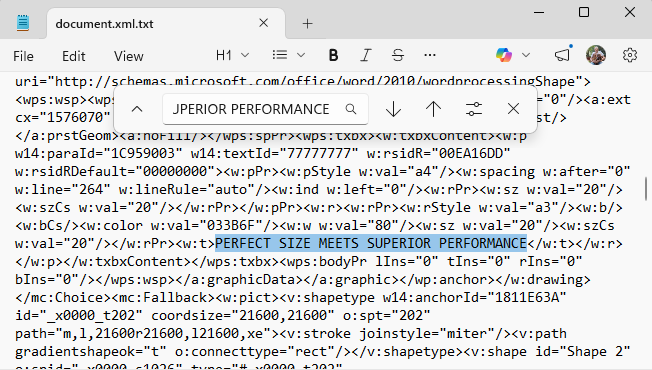
This feature (?) appeared in FR v16, it is just a way to export small text boxes to Word format.
"Small text box" is not margin-to-margin.
When the text box is margin-to-margin, it is rendered as normal body text (not enclosed in a box).
It has nothing to do with "text layer extraction" as it works this way with JPG too.
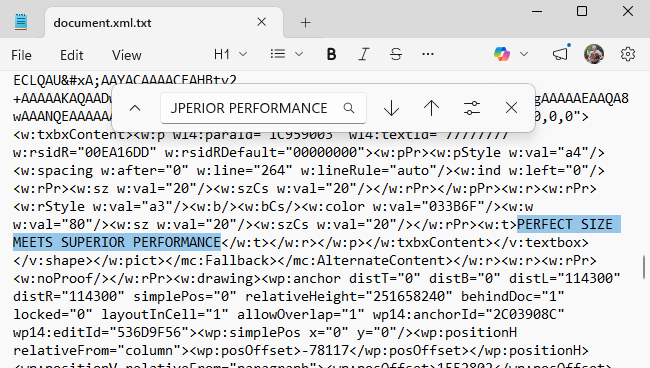
And this text box appears in different places in XML:
[Редактировалось 2026-03-23 11:44 GMT]
Subject:
Comment:
The contents of this post will automatically be included in the ticket generated. Please add any additional comments or explanation (optional)
The leading translation software used by over 270,000 translators.
Designed with your feedback in mind, Trados Studio 2022 delivers an unrivalled, powerful desktop
and cloud solution, empowering you to work in the most efficient and cost-effective way.
Check translations faster for consistency, quality and style guide compliance
PerfectIt helps professional translators deliver error-free documents in Microsoft Word and PowerPoint. It helps improve consistency, ensure quality, and enforce style guides. ProZ members receive a 30% discount off individual purchases of PerfectIt.