Wordfast Aligner - does it actually exist? Thread poster: Charlotte Allen
|
|---|
Charlotte Allen 
United Kingdom
Local time: 18:07
Member (2004)
French to English
I'm just getting back into legal translation after a break. As I'm mostly doing pro bono work right now, I'm keen to keep costs down if I can, although I've invested in Wordfast Pro (having previously used Classic), a subscription to DeepL which I'll use on a month by month basis as needed, and membership of ProZ (of course!)
I'm *slowly* getting my head around Wordfast Pro, but what I miss most is the ability to align my source and target files to create a 'clean' and accurate TM -... See more I'm just getting back into legal translation after a break. As I'm mostly doing pro bono work right now, I'm keen to keep costs down if I can, although I've invested in Wordfast Pro (having previously used Classic), a subscription to DeepL which I'll use on a month by month basis as needed, and membership of ProZ (of course!)
I'm *slowly* getting my head around Wordfast Pro, but what I miss most is the ability to align my source and target files to create a 'clean' and accurate TM - multiple changes to my translated files have been made outside of the Wordfast environment by me, the proofreaders, and the final checker, therefore the TM created within Wordfast Pro is not the final, polished product.
AI assures me that Wordfast Aligner is available both online as a standalone and within Wordfast Pro, but I can't find a working version in either place!
I'd be happy to use an alternative aligner tool if one exists, as long as the TM will 'play nicely' with Wordfast at the end of the process. I can't believe I'm actually yearning for the days when I would be aligning documents with PlusTools within Word for Windows, manually correcting misalignments, then opening the TM within Notepad to make massive batch replacements of faulty characters, before reimporting the whole thing into my enormous BTM! ▲ Collapse
| | | | Samuel Murray
Netherlands
Local time: 19:07
Member (2006)
English to Afrikaans
+ ...
First, there is the online aligner, which is a "dumb" non-interactive aligner:
https://www.wordfast.net/?go=align
Second, at some point WFP3 came with a standalone aligner, but it only worked if you had a WFP licence. I'm not sure if the current download includes it. Your WFP11 licence also includes a licence for WFP3, but you have to download and install WFP3 and then find the fil... See more First, there is the online aligner, which is a "dumb" non-interactive aligner:
https://www.wordfast.net/?go=align
Second, at some point WFP3 came with a standalone aligner, but it only worked if you had a WFP licence. I'm not sure if the current download includes it. Your WFP11 licence also includes a licence for WFP3, but you have to download and install WFP3 and then find the file "Wordfast_Aligner.exe" somewhere on your computer (there is no link to it from within WFP as far as I can tell). Installing WFP3 will not affect your WFP11. I'm not sure if the TM formats are compatible.
Anyway, the aligner included in WFP3 is an unfinished project. It was designed to look like the Trados aligner, but it lacks any of the features that made the PlusTools aligner great. It doesn't have any keyboard shortcuts, for example (you have to use the menu at the top for every action). I'm not even sure if you can move segments around except for moving all segments up or down. To use it, you have to create a "source" folder and a "target" folder and put your files in those folders. It accepts Word files but it doesn't accept TXT files.
So, no. There is no Wordfast Aligner. ▲ Collapse
| | | | Samuel Murray
Netherlands
Local time: 19:07
Member (2006)
English to Afrikaans
+ ...
An aligner that many people swear by is LF Aligner:
https://sourceforge.net/projects/aligner/
However, it creates TMX files, and since it doesn't parse Word files like WFP does, the TM won't contain any tags.
| | | | Charlotte Allen
United Kingdom
Local time: 18:07
Member (2004)
French to English
TOPIC STARTER | Thank you so much! LF Aligner is the way to go. | Jun 10 |
Samuel Murray wrote:
An aligner that many people swear by is LF Aligner:
https://sourceforge.net/projects/aligner/
However, it creates TMX files, and since it doesn't parse Word files like WFP does, the TM won't contain any tags.
Thank you for your clear answer! I've downloaded LF Aligner and aligned three previous translations - it's really very good at segmenting the source and target files in a useful manner. There was also a little bit of nostalgia experienced, as I had to do a 'find and replace' to convert the usual gobbledygook characters into apostrophes - reminiscent of my old Notepad experiences. I was then able to import these 'clean' TMX files into Wordfast and merge them into my TM. Everything worked pretty seamlessly! So much time and frustration saved - I'm really extremely grateful.
| | |
|
|
|
Is you have fond memories of PlusTools, there is a brand new product under the same name, in the final beta stages, which can do alignment.
| | | | Samuel Murray
Netherlands
Local time: 19:07
Member (2006)
English to Afrikaans
+ ...
Epameinondas Soufleros wrote:
If you have fond memories of PlusTools, there is a brand new product under the same name, in the final beta stages...
This product is not in its final beta stages. It's alpha, at the most. E.g. when I tried to align two files, and I forgot to specify a user ID for the TM, it gave me an error message to that effect, but then it closed the aligner, so I had to start the alignment process from scratch. Plus, when I tried it, it created a TXT file with just a header -- no segments.
The "aligner" in the new PlusTools is nothing like the aligner in old PlusTools. To use the new aligner, you have to click on the word "align" on the splash screen. You then paste the source and target text into two boxes, specify a user ID and file name, and then it creates the TM. There is no option to preview the alignment before it creates the TM, and there is no functionality to fix misalignments inside the tool, like the old PlusTools does.
I have tried many aligners, but I always return to the aligner in the old PlusTools. You can download it here (get version 4.16e, because version 4.18 is buggy).
| | | | Samuel Murray
Netherlands
Local time: 19:07
Member (2006)
English to Afrikaans
+ ...
| The old PlusTools aligner | Jun 11 |
For the benefit of people who have never used the old PlusTools aligner, here's how it works. It can only one pair of files at a time, and it can only create Wordfast TMs (which is a tab-delimited file).
1. Open the two files in Word. It can be in any format that Word supports.
2. Launch PlusTools, and go to the Align tab.
3. If your documents are already segmented, i.e. one segment per line, check the box that says "These documents have been segmented by Wordfast". I... See more For the benefit of people who have never used the old PlusTools aligner, here's how it works. It can only one pair of files at a time, and it can only create Wordfast TMs (which is a tab-delimited file).
1. Open the two files in Word. It can be in any format that Word supports.
2. Launch PlusTools, and go to the Align tab.
3. If your documents are already segmented, i.e. one segment per line, check the box that says "These documents have been segmented by Wordfast". If you don't check that box, PlusTools will attempt to segment your files into sentences. If you check that box, PlusTools will assume each line of text is one segment, and will align them without further attempts at segmentation.
4. Then select either "Classic" alignment or "Heavy-duty" alignment. Heavy-duty alignment is for extremely large documents (i.e. hundreds of pages long), and is quite cumbersome to use. In fact, I think the heavy-duty option was only retained for people who had very slow computers. Classic alignment is for small to medium sized documents and for reasonably fast computers (i.e. anything less than 15 years old). Classic alignment uses a single table in Word.
5. Press "Start alignment".
PlusTools then creates a new Word file that contains a two-column table, with source text and target text, segmented. PlusTools also enables a set of shortcuts in Word that you can use to fix any misalignments. The shortcuts are:
Alt+S = split segment at the cursor position and move that column's cells down by one
Alt+D = delete cell at the cursor position and move that column's cells up by one
Alt+M = merge cell at cursor position with the cell below it, and move that column's cells up by one
Alt+I = insert a cell at the cursor position and move that column's cells down by one
You can also manually edit the table, like any table in Word (including adding or removing rows or cells). This is what makes the aligner in PlusTools so powerful: you edit an actual table in actual Word.
The one downside of the old PlusTools aligner is that deleting, splitting or merging affects all cells further down. But you can split the table, align just the table that you're in, and then merge that table with the larger table again, as you would split and merge tables in Word anyway. You can save the file with the table and then continue the next day.
Since this is a table in Word, you can use e.g. highlights and font colours to make certain things more visible, you can run a spell-check, you can edit the text e.g. using find/replace or just by editing directly, etc. You have more control over how the text is segmented because you can split and merge segments on the fly. I usually highlight all numbers in yellow and all unusual punctuation marks in pink. This allows me to see at a glance when a misalignment occurred. (I'm happy that I was able to convince the OmegaT developers to include this highlighting feature in their aligner as well.)
There is a bug in the keyboard shortcuts whereby you can't enable the keyboard shortcuts without having done an alignment first. So, if you have a table in an existing Word file that you wish to refine the alignment in further, you have to start with two dummy files first, then press the "Start alignment" button, then close that file without exiting Word, and then open the file with your existing table in it. The shortcuts will then work.
6. When you're happy with your table and you want to create a TM, run PlusTools again (with the file still open) and press "Create TM". It will ask for the source and target languages codes, and then create the Wordfast TM as a new Word document, which you can save. The user ID of aligned files is always "+A!", but as with any Wordfast TM, you can easily edit that to something else.
Only rows that have text in both the source and target column will end up in the TM. If you have rows where the source or target cell is blank, those rows will not be added to the TM. If you have rows where both source and target cells are blank, they won't be added to the TM either.
If you have a Word file with a two column table in it, you can convert that file directly into a Wordfast TM by launching PlusTools and pressing "Create TM", without having done an alignment first.
[Edited at 2026-06-11 08:57 GMT] ▲ Collapse
| | | | Samuel Murray
Netherlands
Local time: 19:07
Member (2006)
English to Afrikaans
+ ...
|
|
|
kd42
Estonia
Local time: 20:07
English to Russian
| The best aligner is PlusTools 4.16e | Jun 11 |
Try +Tools, use the 2-document mode and use only the keyboard, after you get accustomed to the process you will see how fast you work, and with less fatigue and fewer errors.
Tip: In order to see the whole sentences, remove the "hidden" format from the text and set "wrap text" in Word settings.
| | | | Samuel Murray
Netherlands
Local time: 19:07
Member (2006)
English to Afrikaans
+ ...
kd42 wrote:
...use the 2-document mode and use only the keyboard, after you get accustomed to the process you will see how fast you work, and with less fatigue and fewer errors.
Some people swear by it (-: One upside of the heavy-duty mode (a.k.a. 2-document mode) is that it's much easier to move segments around in files where the source and target paragraphs are not originally in the same order.
| | | | | | kd42
Estonia
Local time: 20:07
English to Russian
CafeTran Trainer wrote:
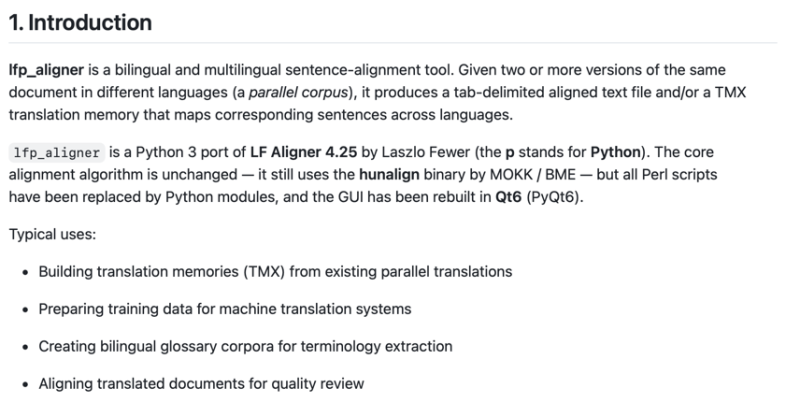
There's also a Python 3 port of the original LF Aligner written in Perl:
This sounds like extra-terrestrial gibberish for 99.99999% of translators, which it is.
| | |
|
|
|
Samuel Murray
Netherlands
Local time: 19:07
Member (2006)
English to Afrikaans
+ ...
kd42 wrote:
CafeTran Trainer wrote:
There's also a Python 3 port of the original LF Aligner written in Perl...
This sounds like extra-terrestrial gibberish for 99.99999% of translators, which it is.
Nothing beats the original version of PlusTools, written in pure JavaScript 1.0.
| | | |
Samuel Murray wrote:
kd42 wrote:
CafeTran Trainer wrote:
There's also a Python 3 port of the original LF Aligner written in Perl...
This sounds like extra-terrestrial gibberish for 99.99999% of translators, which it is.
Nothing beats the original version of PlusTools, written in pure JavaScript 1.0.
But this 4.16e was written in VBA. Would be nice if Yves would donate it to the open domain, so that we can port it to LibreOffice. Perhaps I should ask him to do so?
| | | | kd42
Estonia
Local time: 20:07
English to Russian
CafeTran Trainer wrote: Samuel Murray wrote: kd42 wrote: CafeTran Trainer wrote:
There's also a Python 3 port of the original LF Aligner written in Perl... This sounds like extra-terrestrial gibberish for 99.99999% of translators, which it is. Nothing beats the original version of PlusTools, written in pure JavaScript 1.0. But this 4.16e was written in VBA. Would be nice if Yves would donate it to the open domain, so that we can port it to LibreOffice. Perhaps I should ask him to do so?
All you need to do is replicate the general philosophy and the keyboard shortcuts. I don't think you need a permission for that. It's a bicycle.
| | | | To report site rules violations or get help, contact a site moderator: You can also contact site staff by submitting a support request » Wordfast Aligner - does it actually exist? | CafeTran Espresso | You've never met a CAT tool this clever!
Translate faster & easier, using a sophisticated CAT tool built by a translator / developer.
Accept jobs from clients who use Trados, MemoQ, Wordfast & major CAT tools.
Download and start using CafeTran Espresso -- for free
Buy now! » |
| | PerfectIt | Check translations faster for consistency, quality and style guide compliance
PerfectIt helps professional translators deliver error-free documents in Microsoft Word and PowerPoint. It helps improve consistency, ensure quality, and enforce style guides. ProZ members receive a 30% discount off individual purchases of PerfectIt.
More info » |
|
| | | | X Sign in to your ProZ.com account... | | | | | |








 Login to reply/comment
 Translation news related to Wordfast